> For the complete documentation index, see [llms.txt](https://wiki.blocklords.com/llms.txt). Markdown versions of documentation pages are available by appending `.md` to page URLs; this page is available as [Markdown](https://wiki.blocklords.com/marketplace/connecting-to-web3/importing-and-exporting-assets.md).

# Importing and Exporting Assets

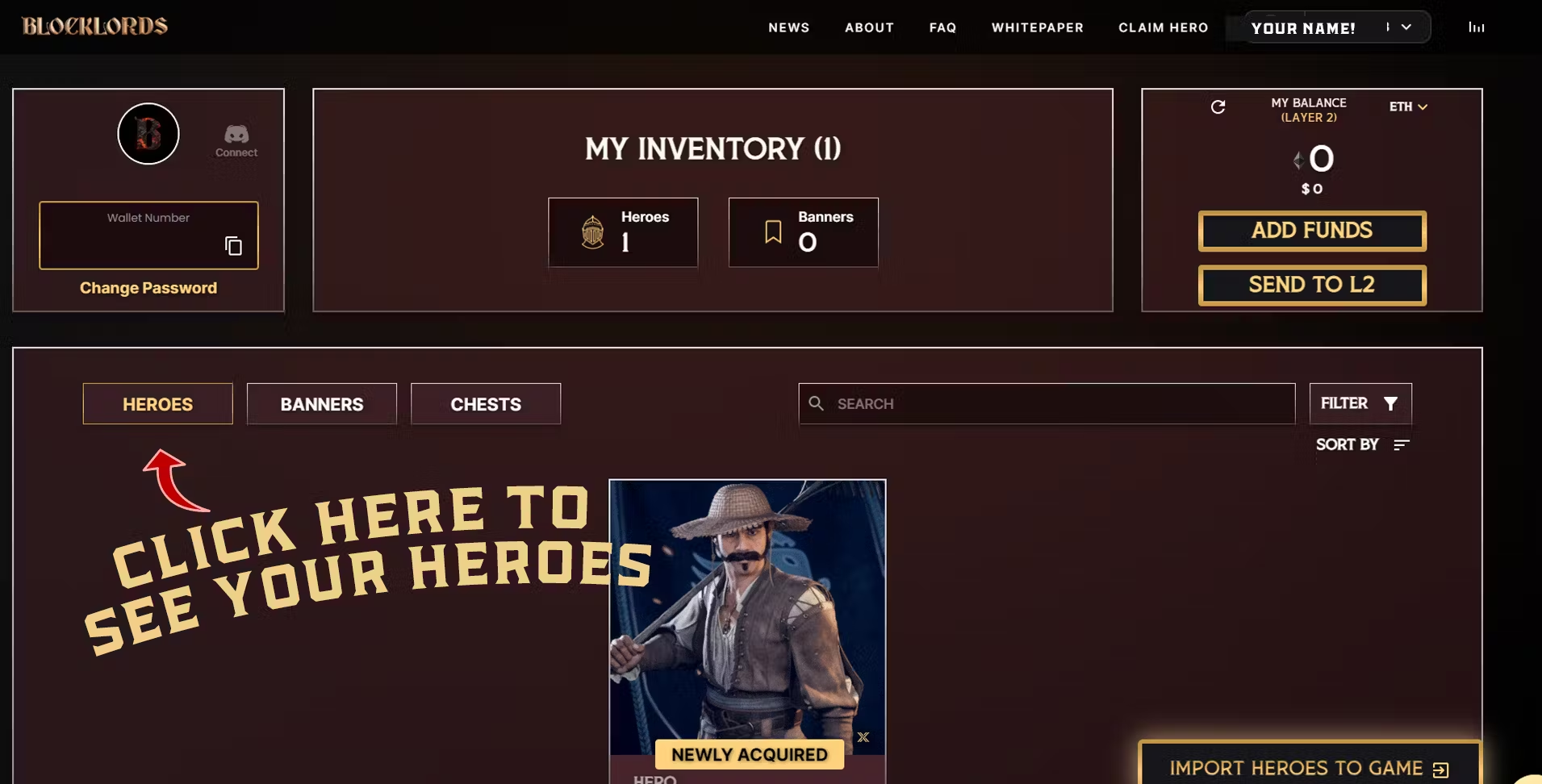
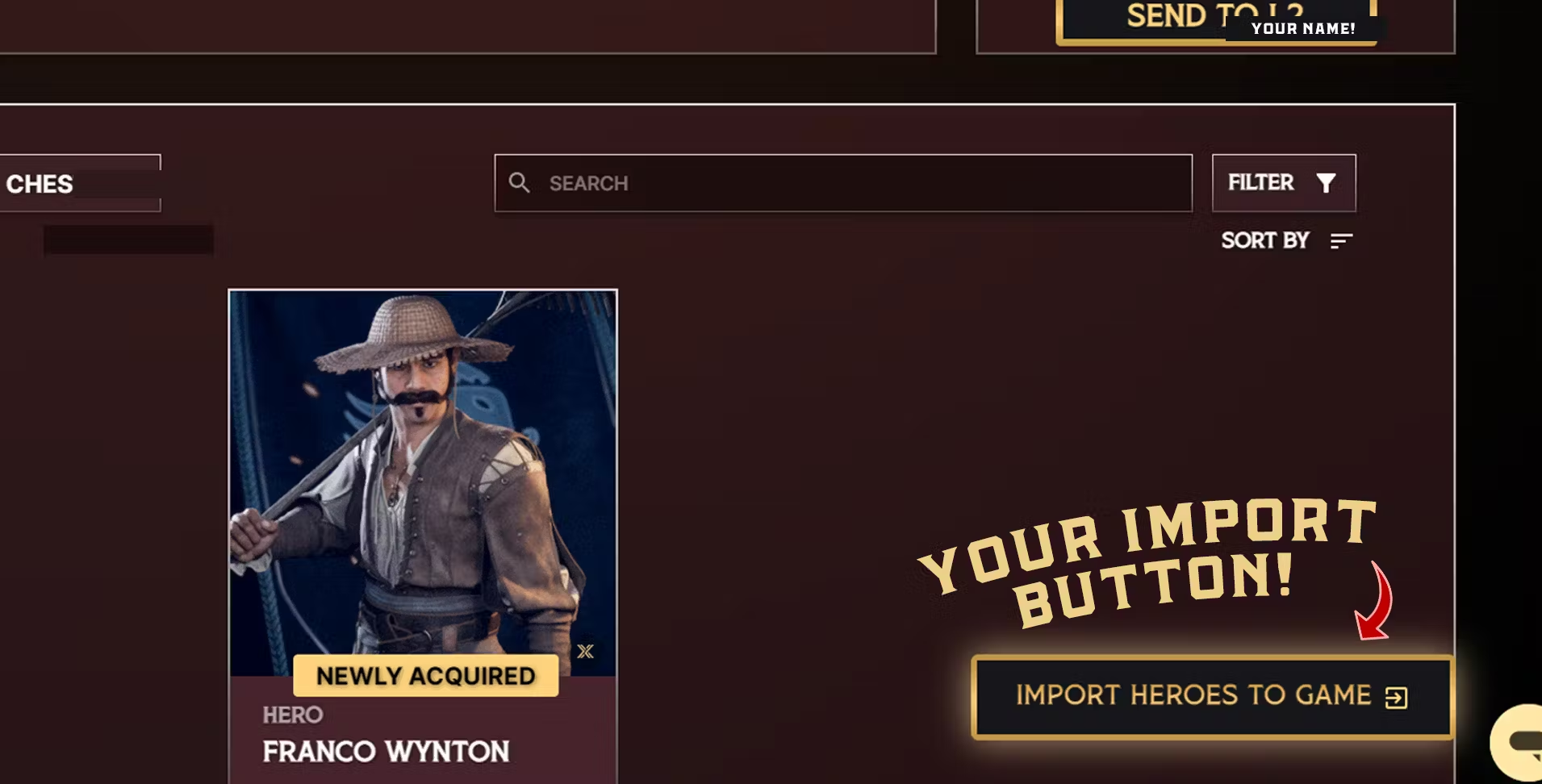
Your profile serves as a virtual Hero headquarters, providing a home for your Heroes. You can head to your profile at [**https://blocklords.com/profile**](https://blocklords.com/profile) - make sure you’re connected with the wallet that holds your Hero! Here is how to check you’re **o**[**n the right chain!**](https://blocklords.com/news-updates/switch-from-imx-to-polygon)

<figure><img src="/files/8SWzQdpjq4aO1YAdzgGb" alt=""><figcaption></figcaption></figure>

<figure><img src="/files/iGBzTz7oiE8CcXB92snL" alt=""><figcaption></figcaption></figure>

<figure><img src="/files/hSVx4ANmEJHSEs84MUz3" alt=""><figcaption></figcaption></figure>

### **EXPORT YOUR BLOCKLORDS HERO**

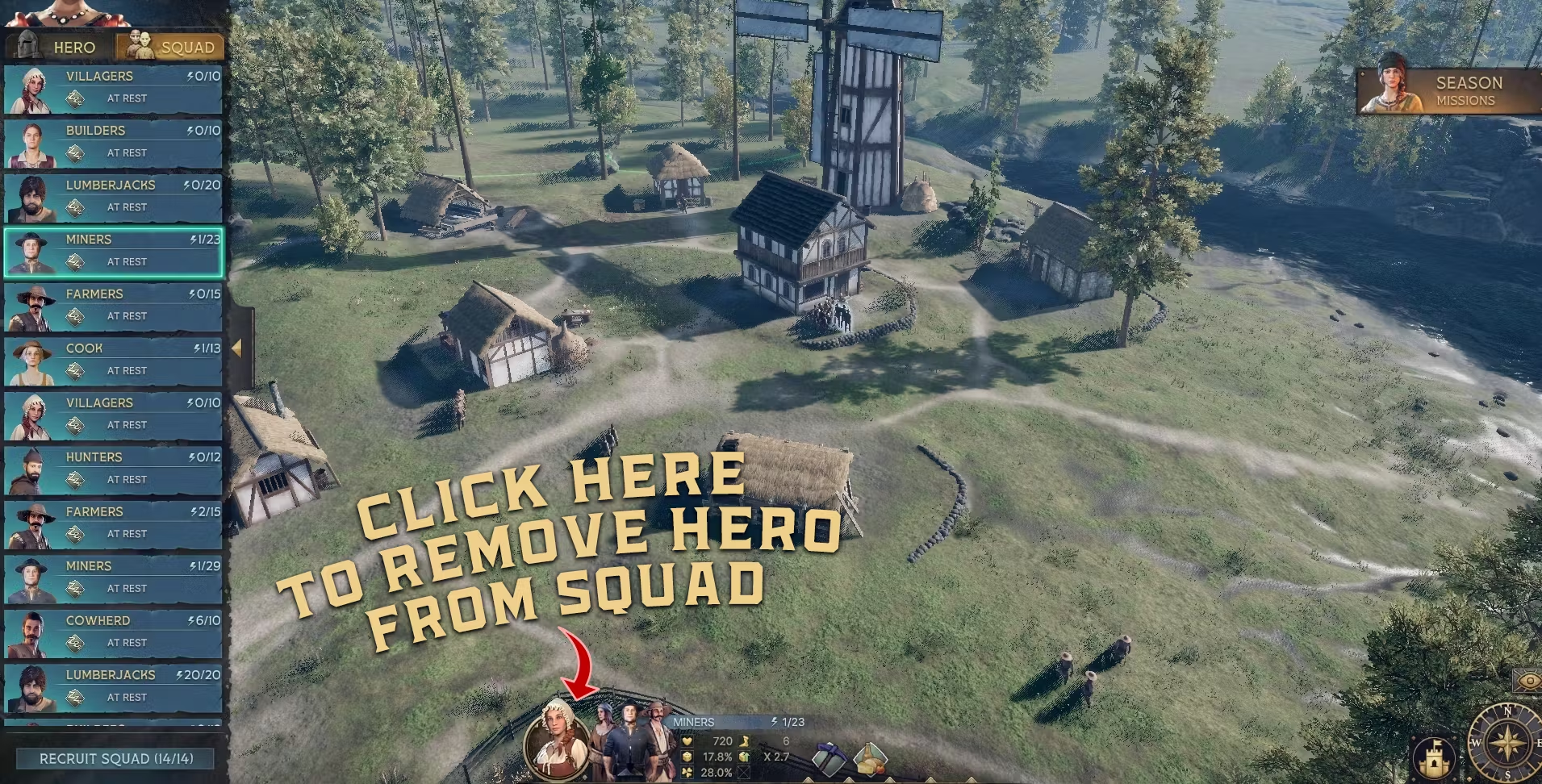
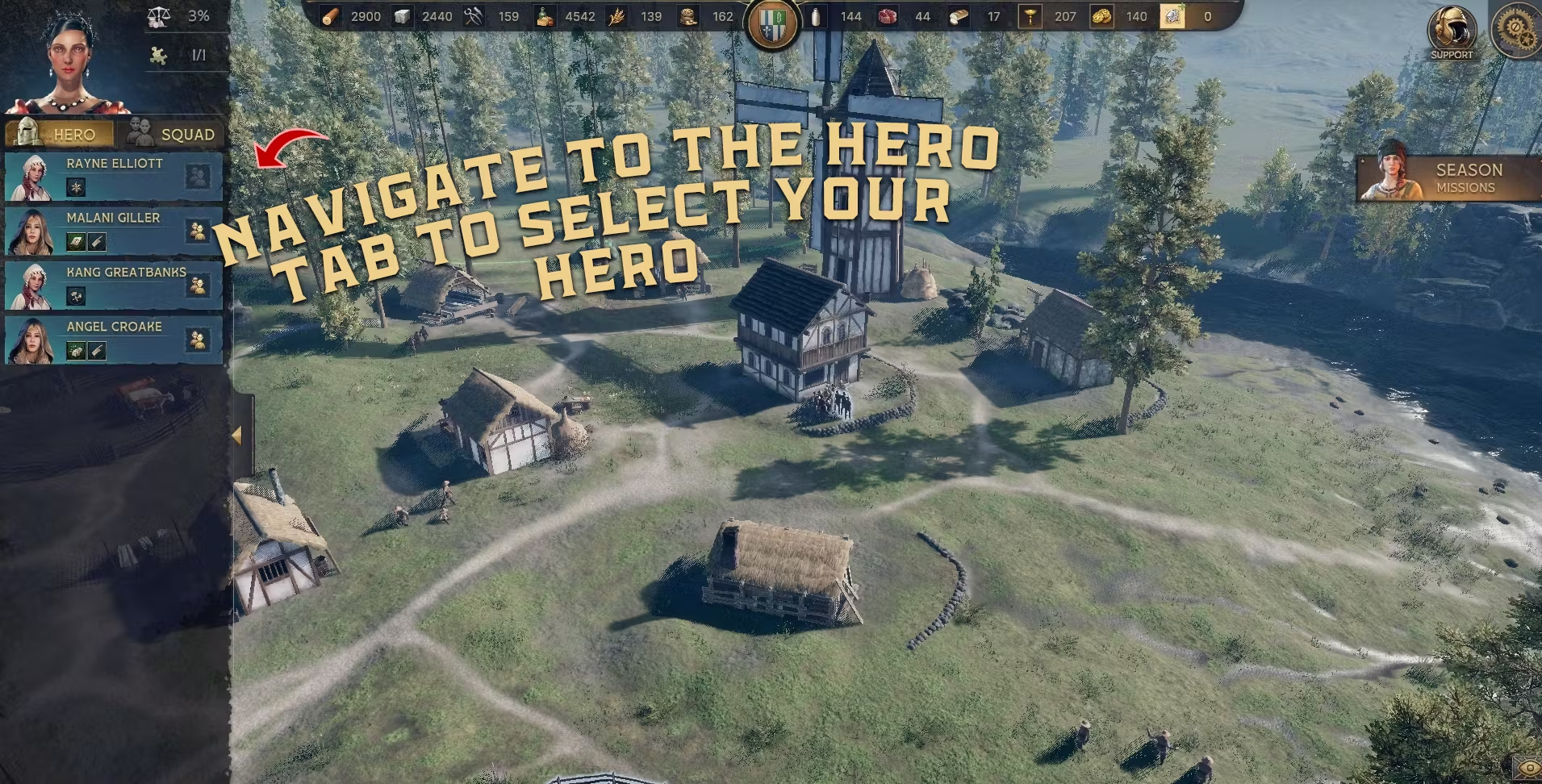
You can export your Heroes from BLOCKLORDS back on chain by following these steps!
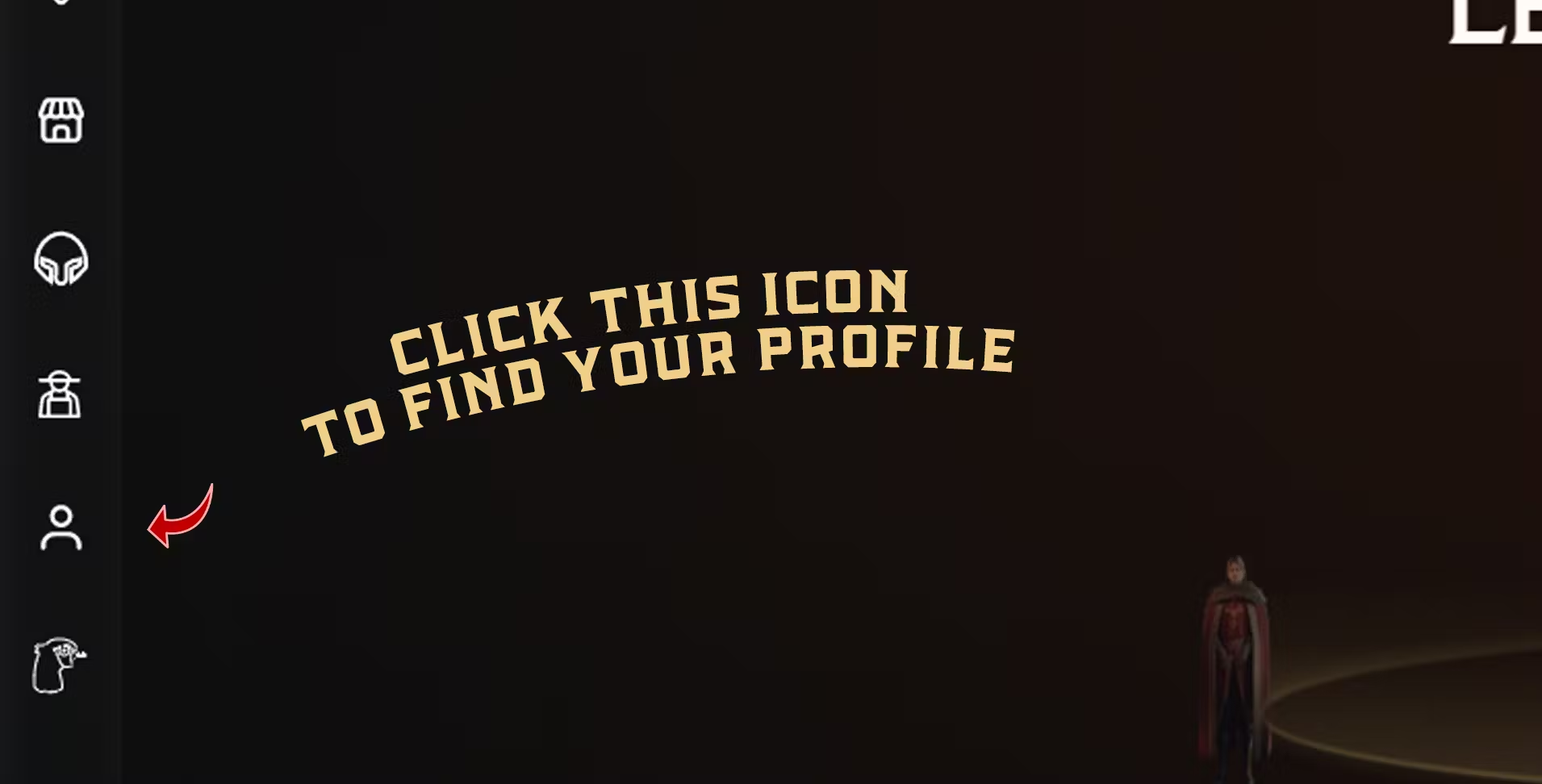
<figure><img src="/files/GqZwb5XguBhYiCoxmZBz" alt=""><figcaption></figcaption></figure>

<figure><img src="/files/LP4c4TKVUj7BzyqOchaF" alt=""><figcaption></figcaption></figure>

<figure><img src="https://lh7-us.googleusercontent.com/docsz/AD_4nXevkT3vlZ92XATRn5zl3avypW0KmkgwINyBoHllVVc_MWL2mk539XEyPs5zmB9kQvcFDQVfd6AD2aAjOjxOxvT2BrZHdkrYdM2grh5JYmurF_tuCrkZS7XUGlAOJiXQ7RS_6_gDhUCJshbIBybCmojP-vFr?key=EdSj0kXCYgZwFP4u7QyhuQ" alt=""><figcaption></figcaption></figure>

<figure><img src="https://lh7-us.googleusercontent.com/docsz/AD_4nXc-DxByhkVxm3bpBA_ngVo_2luEfMHXXy3th5HSBR0dGBfjm8O6NnfK_hV2Z2UeGiwrXniRZSvW_ghg5a3Q45YJoJZSKarP3O9ywXSXUfonMqMvbb79ZQUdDrk1SOYK1rLEDXBi-UVwYxXEnhZ6OhuRSKwT?key=EdSj0kXCYgZwFP4u7QyhuQ" alt=""><figcaption></figcaption></figure>