> For the complete documentation index, see [llms.txt](https://wiki.blocklords.com/llms.txt). Markdown versions of documentation pages are available by appending `.md` to page URLs; this page is available as [Markdown](https://wiki.blocklords.com/lordchain-migration-and-burn-guide/exporting-from-game-to-lordchain.md).
# Exporting from Game to LORDCHAIN
## 🕹️ Exporting In-Game Heroes to LORDCHAIN
If your hero is already inside the game (e.g. imported from IMX), follow this guide to export it to LORDCHAIN — the new foundation of the BLOCKLORDS ecosystem.\
Check the video guide [here](https://drive.google.com/drive/folders/1LknisKZWUMkfnvOOvQVE9zvE6ajLmOys).
***
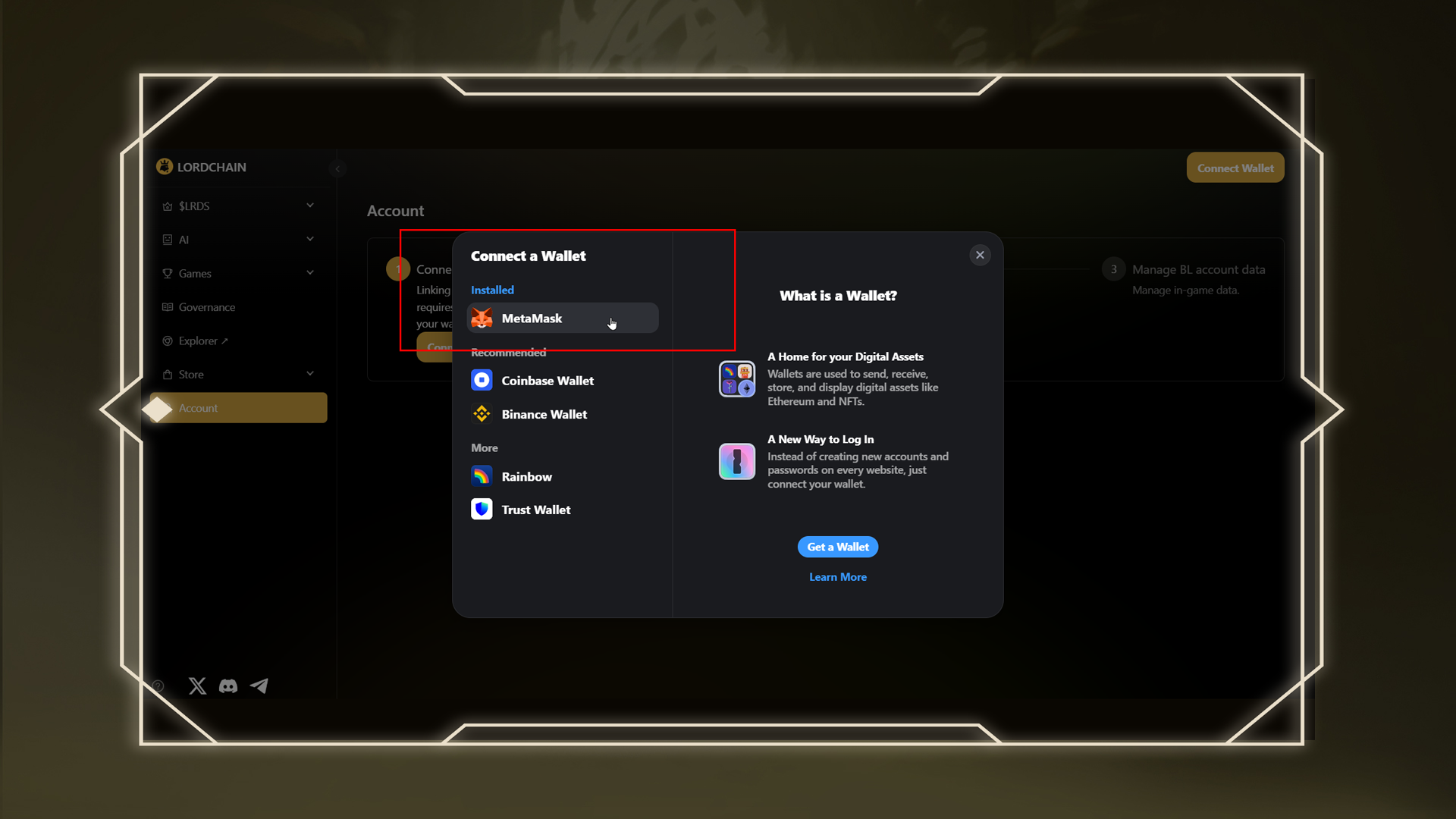
### 🪪 Step 1: Link Your Wallet to LORDCHAIN
Visit the[ LORDCHAIN Account Page](https://lordchain.blocklords.com/account) and connect your wallet.\
This wallet will be the destination for your exported hero.
***
### 🎮 Step 2: Open the Game & Go to the Hero Menu
Log in to the BLOCKLORDS game client, navigate to the Hero menu, and select the hero you wish to export.\
Click the “Export” button.
***
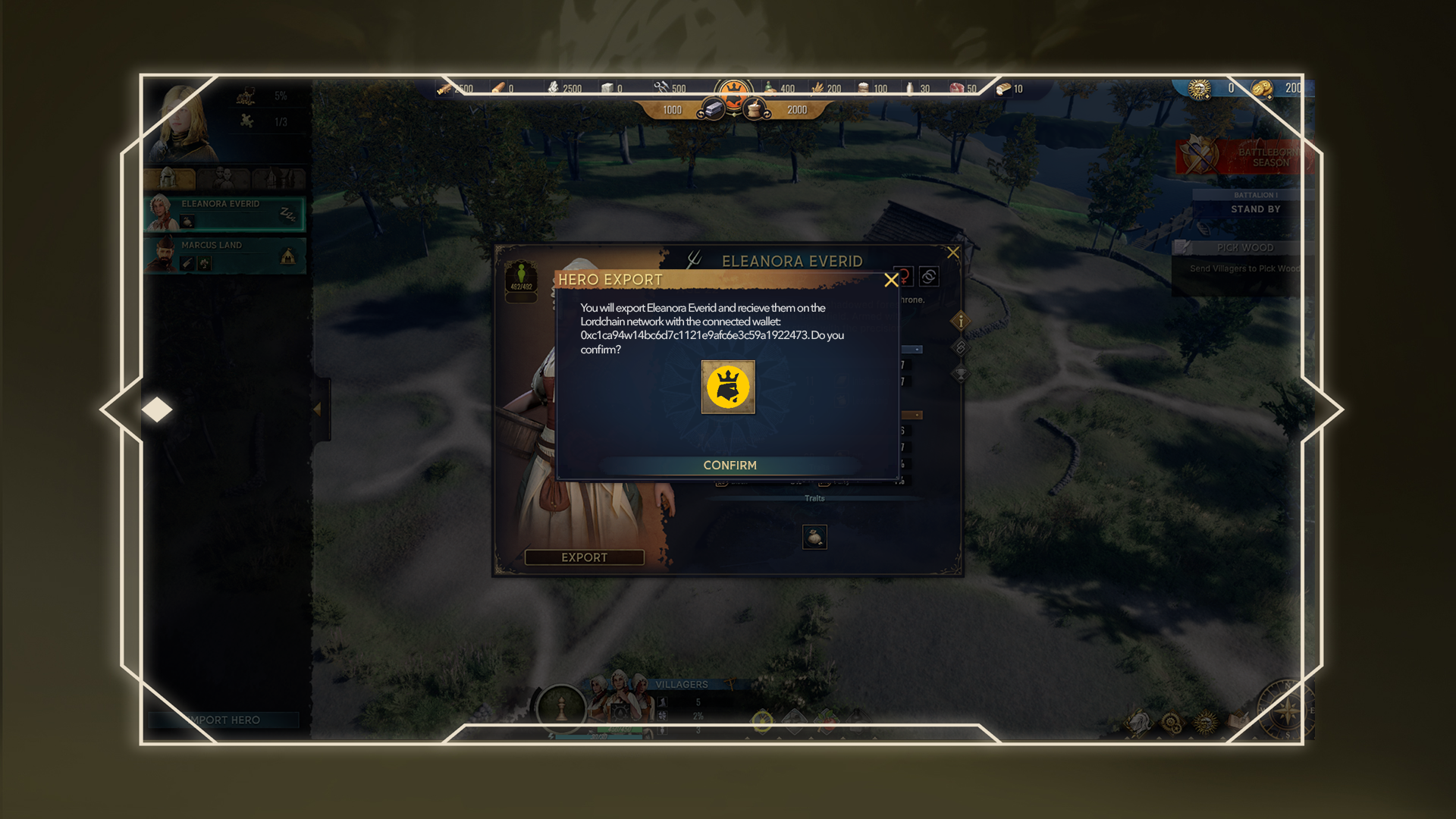
### 🛡️ Step 3: Confirm the Wallet Address
You’ll be prompted to confirm the LORDCHAIN wallet address where the hero will be sent.\
⚠️ Please double-check the address carefully before proceeding.
***
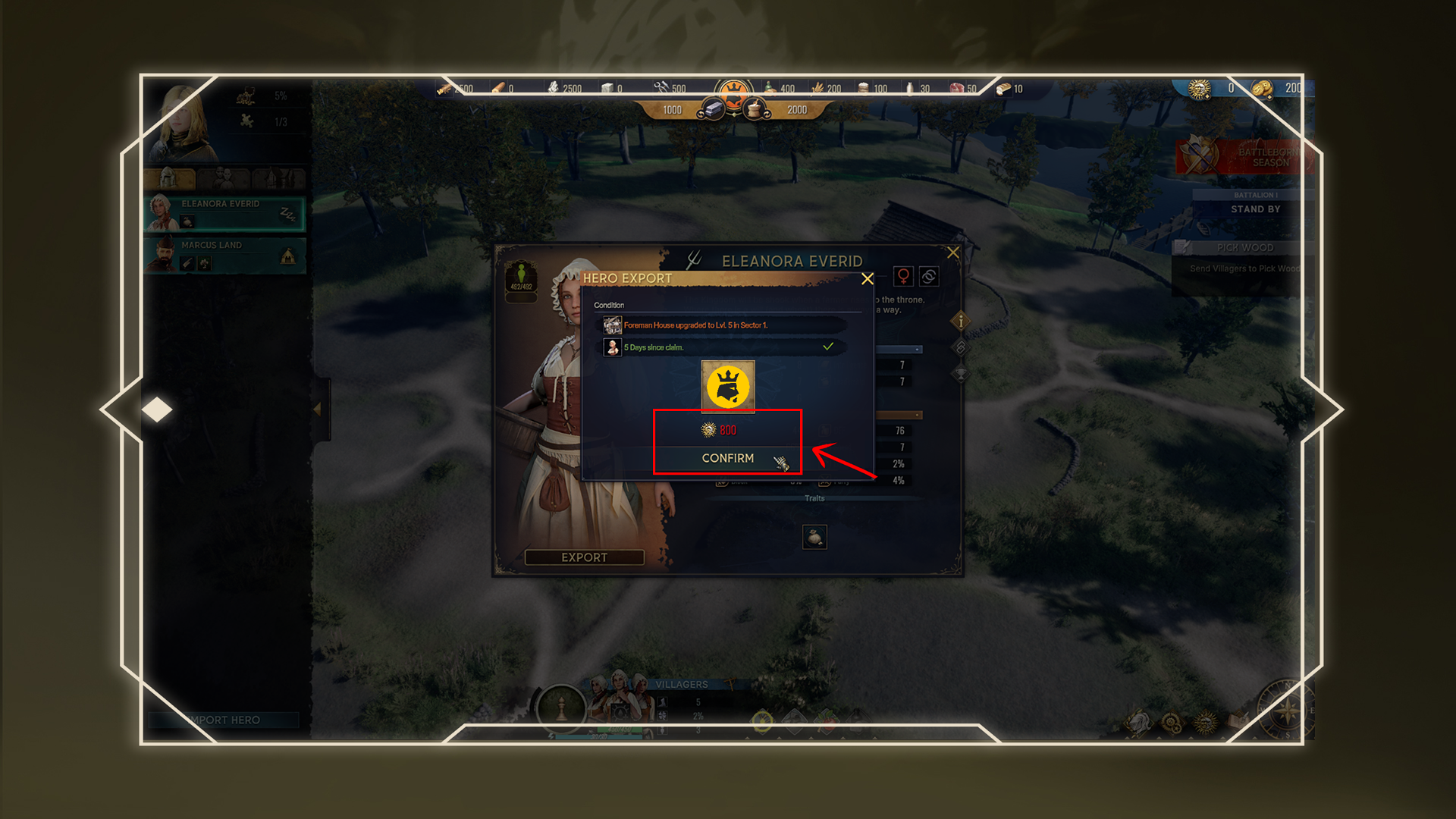
### 💰 Step 4: Pay the Influence Cost and Export
To export a hero, you will need to spend a certain amount of Influence.\
Confirm and complete the export process in-game.
***
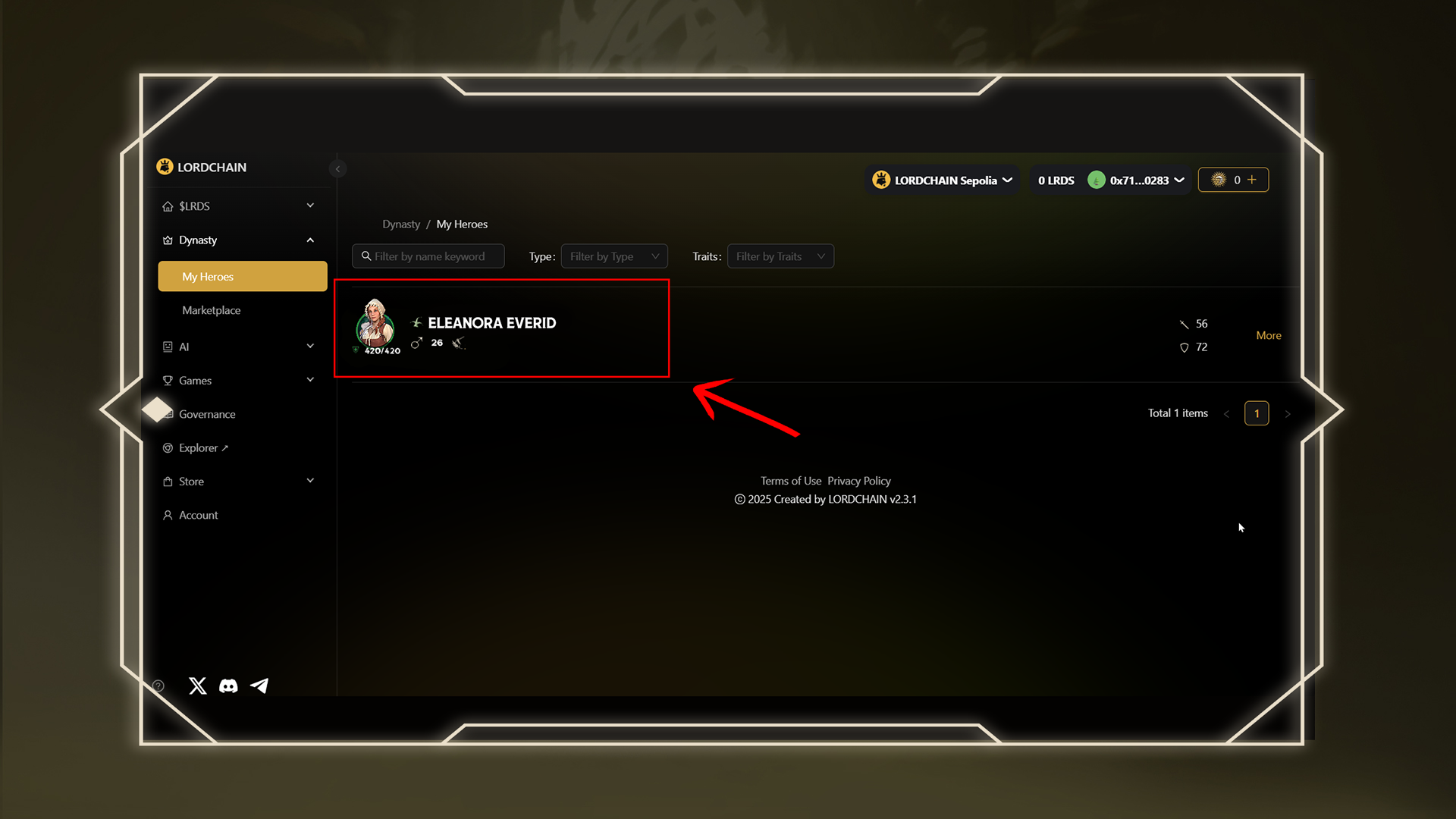
### 👑 Step 5: View Your Hero on LORDCHAIN
Once the export is processed, head to the[ LORDCHAIN Dynasty Page](https://lordchain.blocklords.com/dynasty/hero) to see your hero.\
It will appear under your collection once the transaction is finalized.
***
### ⏳ Please Note:
* Hero exports are not instant and may take time depending on server and blockchain activity.\
* 🕒 If your hero hasn't appeared on LORDCHAIN after 2 hours, please contact our official support team and we’ll assist you.