> For the complete documentation index, see [llms.txt](https://wiki.blocklords.com/llms.txt). Markdown versions of documentation pages are available by appending `.md` to page URLs; this page is available as [Markdown](https://wiki.blocklords.com/lordchain-migration-and-burn-guide/base-dynasty-to-lordchain.md).
# Base Dynasty to LORDCHAIN
## 🔵 Base Dynasty → LORDCHAIN
This guide walks you through the full process of migrating your hero(s) from the Base Dynasty to LORDCHAIN — the new home of BLOCKLORDS.\
Check the video guide [here](https://drive.google.com/drive/folders/1cwT34Y2mpm_Zq_gojWK4WsLfWN-UhWEP).
***
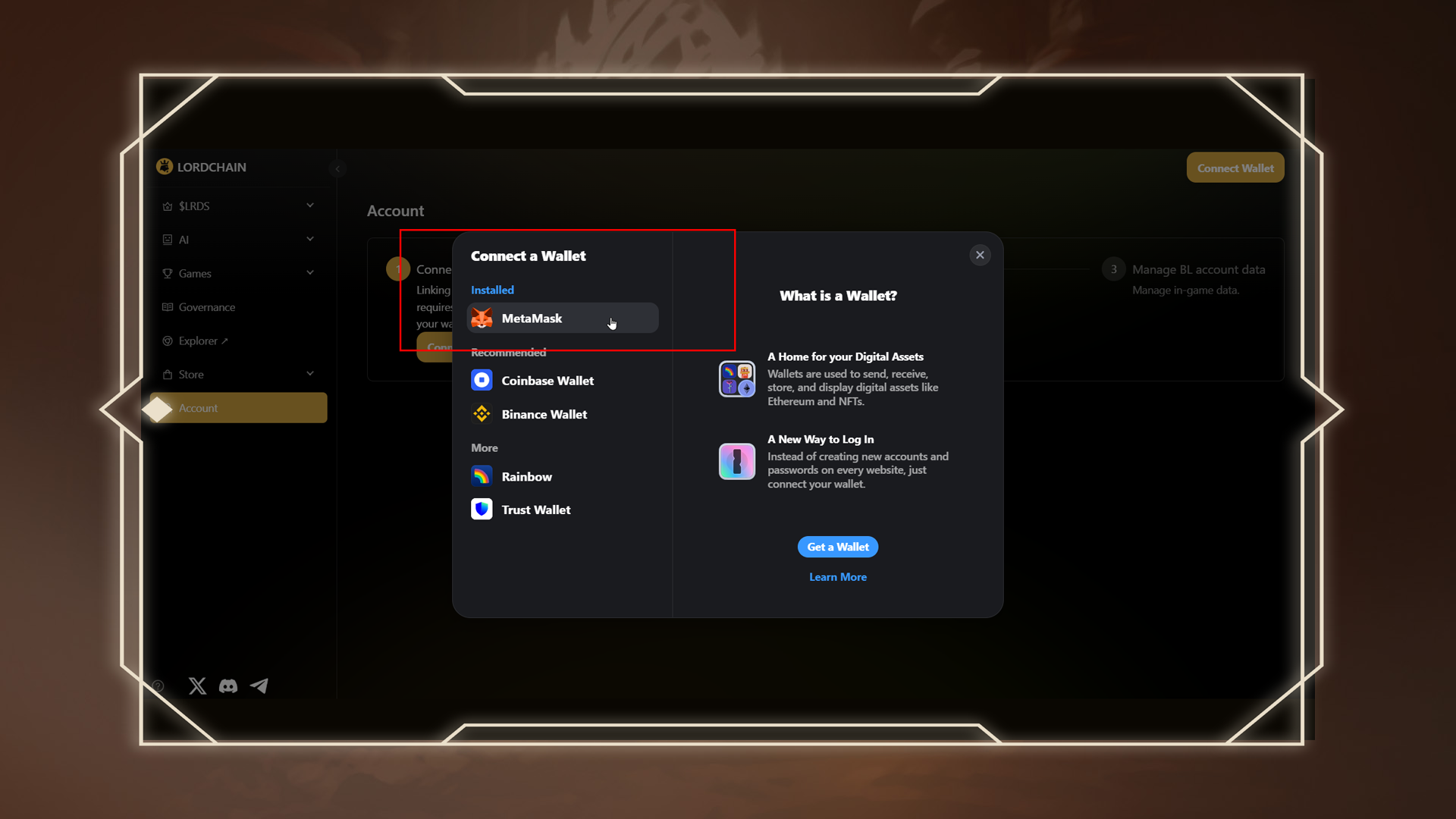
### 🪪 Step 1: Link Your Wallet to LORDCHAIN
Go to the[ LORDCHAIN Account Page](https://lordchain.blocklords.com/account) and connect your wallet. This wallet will be the destination for your bridged hero.
***
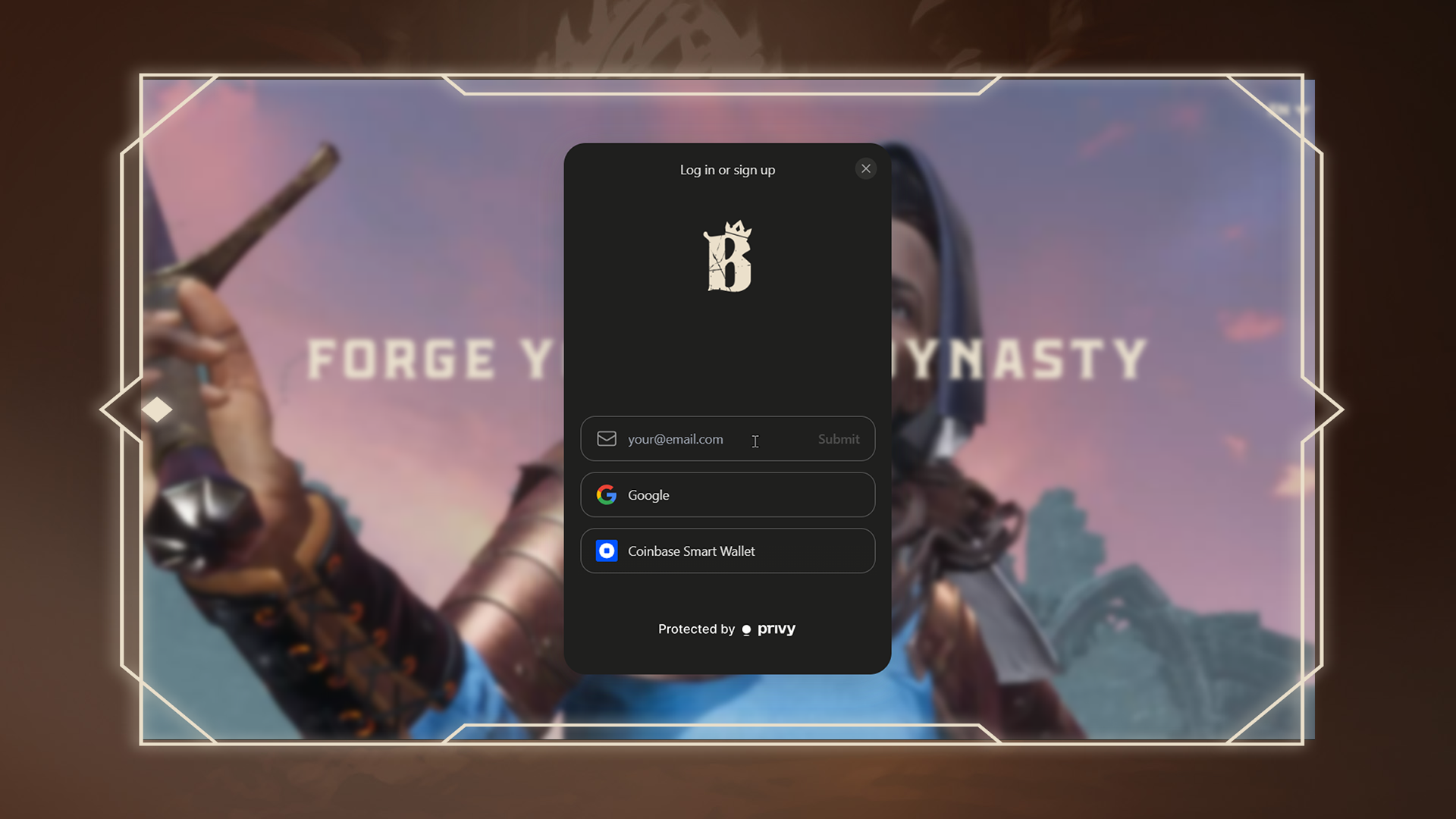
### 🧭 Step 2: Log in to the Base Dynasty
Visit the[ Base Dynasty Page](https://dynasty.blocklords.com/) and log in using your BLOCKLORDS account credentials.
***
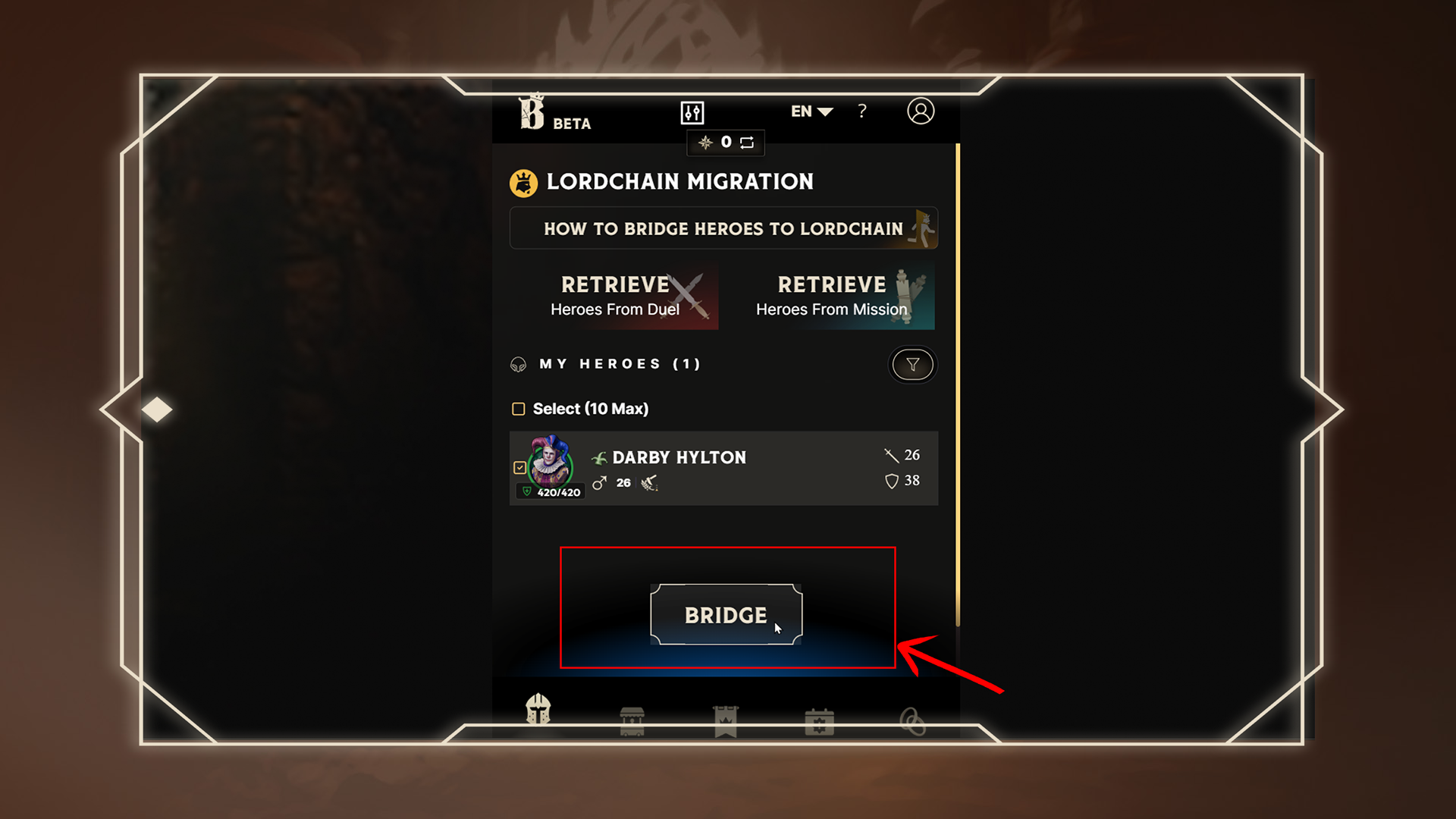
### 🦸 Step 3: Select Your Hero(s) to Bridge
Navigate to the HEROES tab.\
Select one or more heroes you wish to migrate, then click the “Bridge” button.
***
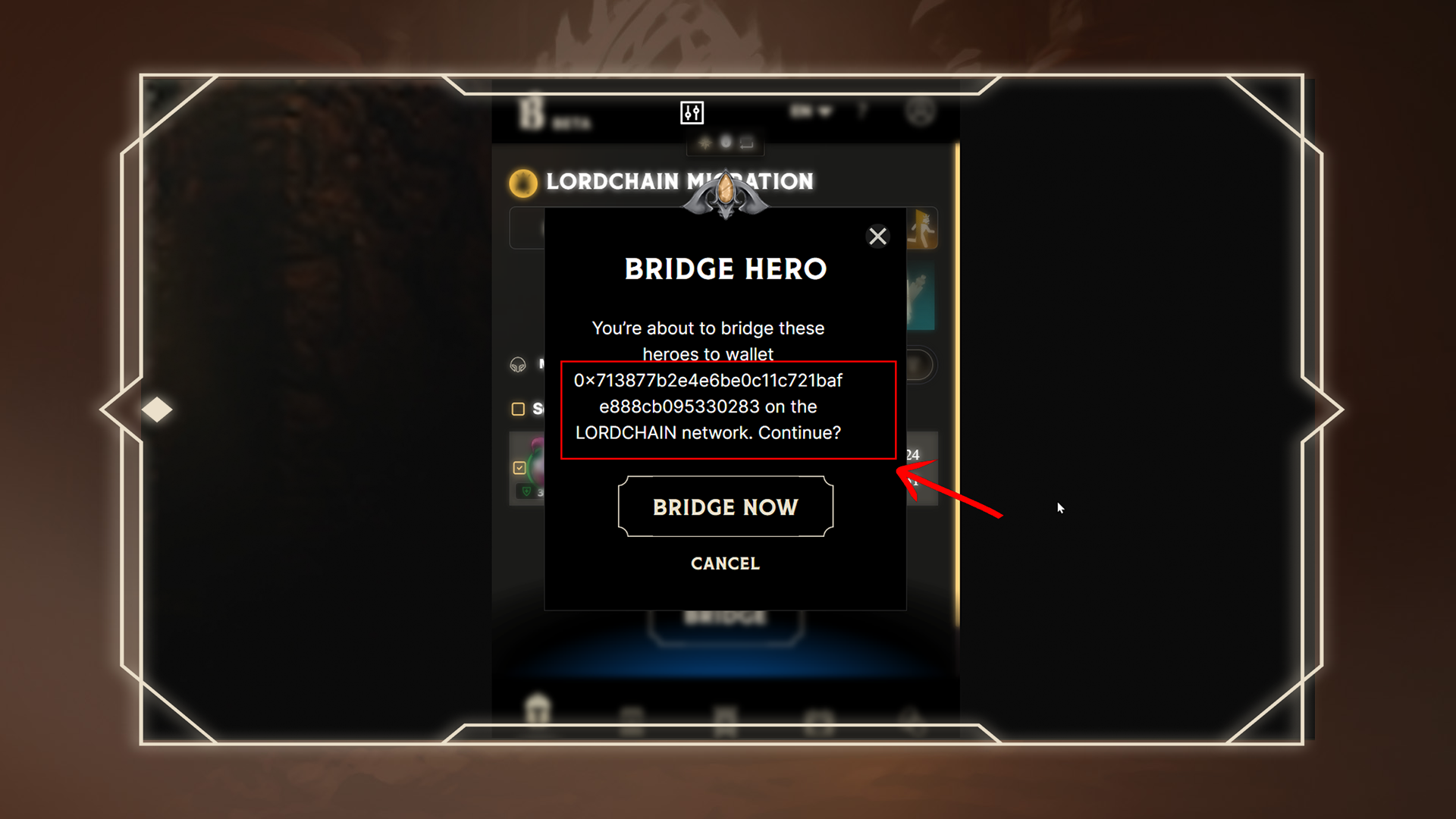
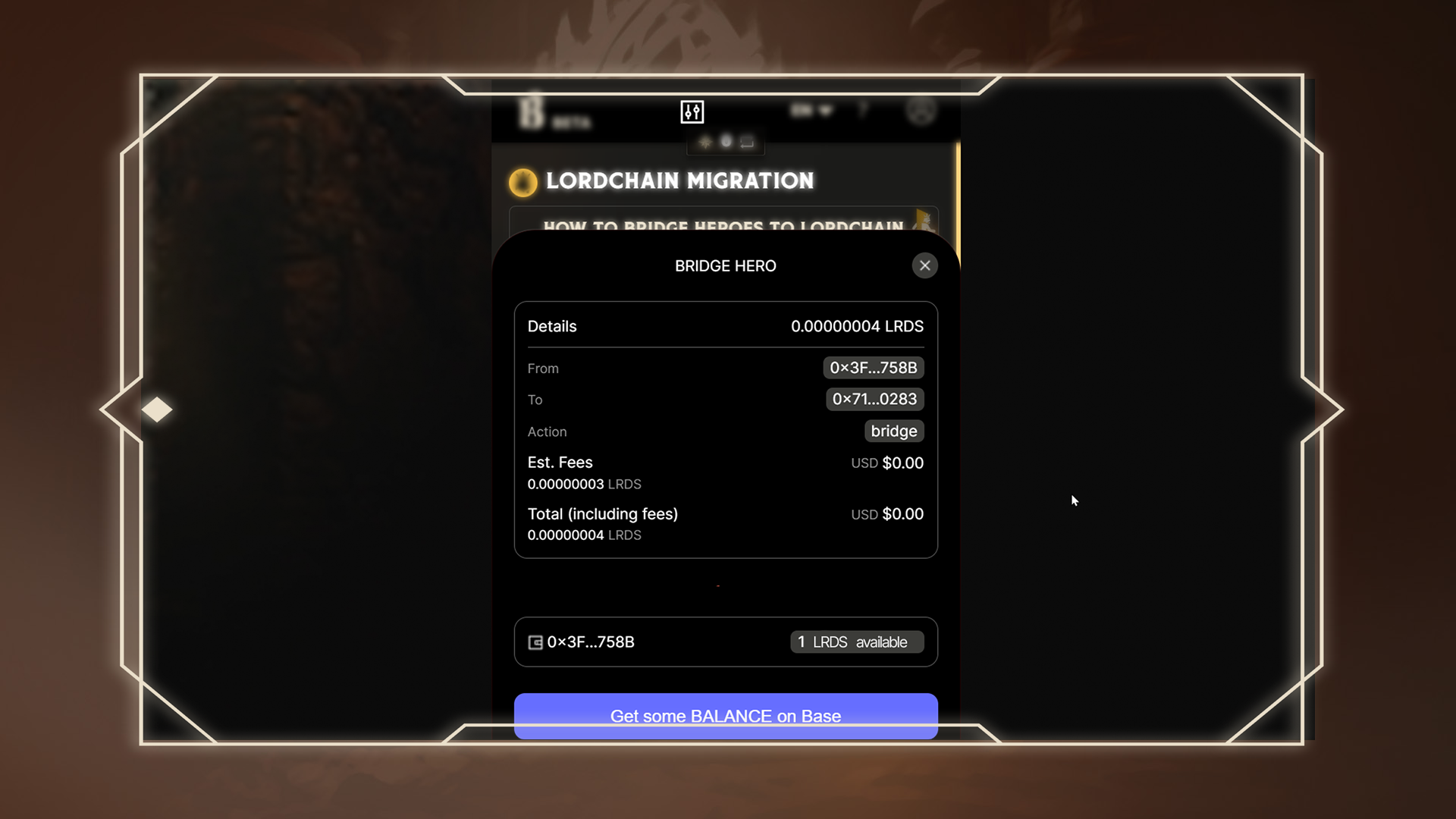
### 🛡️ Step 4: Confirm the Destination Wallet
A confirmation window will appear showing the LORDCHAIN wallet address you're about to send the hero to.\
⚠️ Double-check this address carefully before continuing.
***
### 🔁 Step 5: Complete the Bridge Transaction
Sign and confirm the transaction in Dynasty.\
Once confirmed, the hero(s) will be bridged to LORDCHAIN.
***
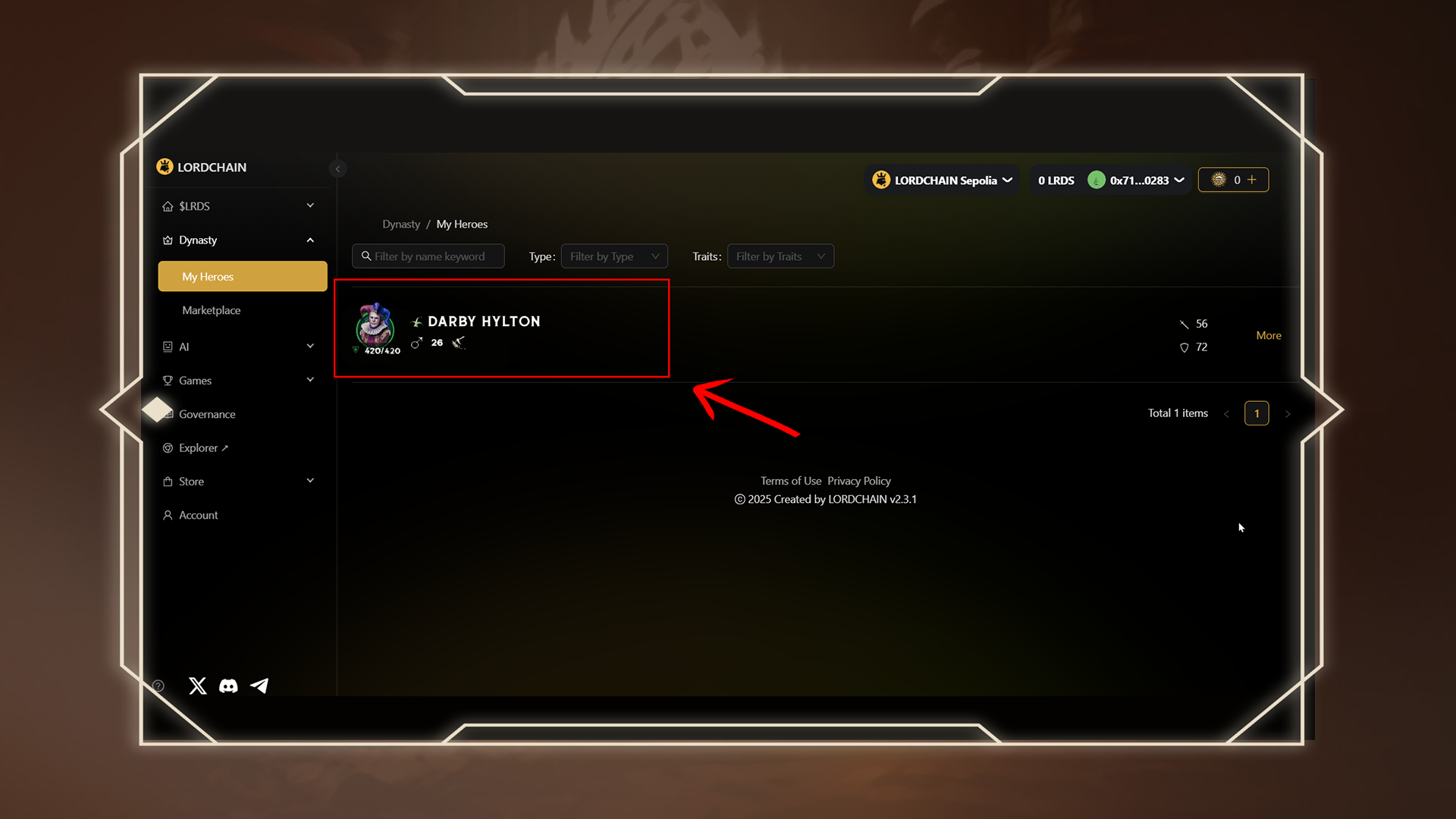
### 👑 Step 6: View Your Hero on LORDCHAIN
After bridging, visit the[ LORDCHAIN Dynasty Page](https://lordchain.blocklords.com/dynasty/hero) to check for your migrated hero(s). They will appear in your collection once the bridge is processed.
***
### ⏳ Please Note:
* Hero bridging is not instant. Most transfers complete within minutes, but can take longer depending on network traffic.\
* 🕒 If you don’t see your hero after 2 hours, please contact our official support channels and we’ll assist you directly.